
Skip links

Oracle NetSuite Partner · Dashboards & Reporting · UK-wide

NetSuite dashboards and reporting built around each role

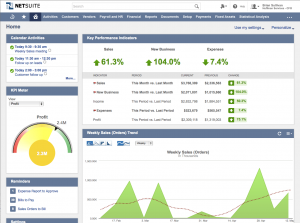
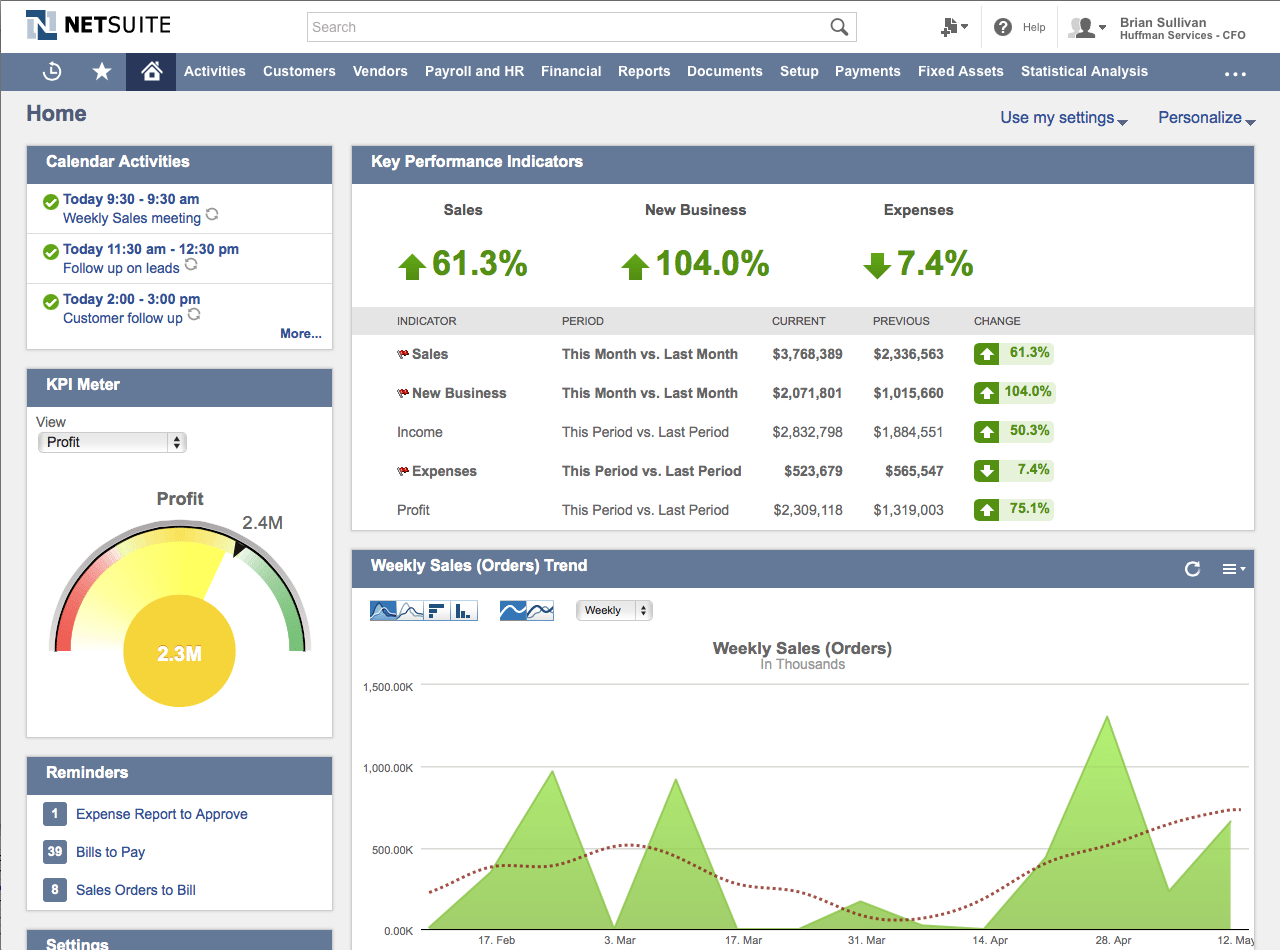
A NetSuite dashboard gives a user a current view of the finance and operations information needed for their job. The content can be set by role, so a finance director, operations manager and board member do not have to work from the same screen. AI functions can be considered for search, explanation or exception review where the selected reporting tool supports them.

  • Since 2003 working with NetSuite
  • Accountancy-led CA & CGMA directors
  • Role-based views, not one screen for all
Person at a desk reviewing a dashboard of charts on a monitor, with a spreadsheet open on a laptop alongside

Who designs the dashboard?

Cofficient is an Oracle-authorised NetSuite partner. The dashboard work starts with the decisions each user makes and the source records behind the measures.

Why reports go unread

A long monthly report may contain accurate figures and still fail to answer the reader's question. Users then request another report, export the data or keep a separate spreadsheet.

The common causes are simple:

  • The information arrives after the decision was needed.
  • The report includes measures that are irrelevant to the reader.
  • Users cannot trace a figure back to the underlying record.
  • Different teams use different definitions for the same measure.

A dashboard improves the view only when the measures, definitions and owners are agreed first.

What a NetSuite dashboard can show

The available content depends on the records and permissions in the NetSuite account. Common measures include:

  • Cash position, expected receipts and upcoming payments.
  • Sales against target by business unit, channel or region.
  • Margin movements and the transactions behind them.
  • Stock levels, demand and items that need attention.
  • Overdue invoices and the value held in each ageing band.

The user should be able to move from the summary to the source record when further investigation is needed.

Different roles need different views

The same underlying data supports different decisions. Each view should carry the measures that role can act on, and leave out the detail that does not change what they do.

Finance director

The finance director needs cash, margin, working capital and exceptions. The dashboard should make it easy to see which item needs review today and which trend needs a wider discussion.

Operations team

Operations users need orders, fulfilment, capacity and stock. Their view should use the measures they can act on and avoid finance detail that does not change the operational decision.

Board and senior leadership

The board view should contain the agreed performance measures, comparison with plan and a route to supporting detail. Definitions must remain consistent between the dashboard and the board pack.

Two colleagues reviewing printed charts and reports together at a desk

How AI may support financial reporting

Some reporting products can summarise a movement, help users search approved data or flag a value outside an expected range. The exact function depends on the tool, data model and permissions. It should be tested before users rely on the output.

Potential uses include:

  • Producing a first draft explanation for a movement in an approved measure.
  • Directing a user to the report or source record that answers a defined question.
  • Flagging an exception based on an agreed threshold or comparison.

The dashboard remains the governed view. AI output should not create a second set of figures or hide the source used for the answer.

Read more about AI for CFOs using NetSuite →

How Cofficient designs NetSuite dashboards

Cofficient reviews the users, decisions and reporting definitions before configuring the dashboard. This avoids filling the screen with measures simply because they are available.

  1. 1

    Identify the decisions each role makes and the information used for them.

  2. 2

    Agree the definition, owner and source of each measure.

  3. 3

    Design a role-based view and a route to supporting detail.

  4. 4

    Test the dashboard with real questions from the users.

  5. 5

    Review usage after launch and remove content that does not support a decision.

The same process applies when an AI reporting function is added. The use case, data source and review requirement need to be defined before configuration.

Who you are working with

Cofficient is employee-owned. The team includes NetSuite specialists and directors with CA and CGMA qualifications.

Oracle NetSuite Partner Authorised UK NetSuite partner
Since 2003 20+ years of NetSuite delivery
Employee-owned Led by chartered, CA & CGMA-qualified directors
UK-wide Glasgow HQ, clients across the UK & internationally
Scottish Rugby Ooni Calnex Solutions Net Zero Technology Centre Genius Foods

Our Google reviews

Posted on Google Google
Rebecca Thomson profile picture
Rebecca Thomson
Google star 1Google star 2Google star 3Google star 4Google star 5Trustindex verifies that the original source of the review is Google.
Cofficient spend a considerable amount of time getting to know your business and its processes to ensure they meet your exact requirements. They are a very honest and hardworking team who will also challenge you from time to time if necessary, which was fundamental to the success of the implementation. Rolling out a new CRM/ERP solution in your business is not an easy task however is a lot more manageable with the guidance and support from Cofficient.
Posted on Google Google
Hugh Hill profile picture
Hugh Hill
Google star 1Google star 2Google star 3Google star 4Google star 5Trustindex verifies that the original source of the review is Google.
Fabulous team to work. Worked hard to really understand what our organisation was about and how Netsuite could change the way we do things and really change experiences for the people we support. If your looking for a CRM and great partner then the Netsuite Cofficient combination is what you want.
Posted on Google Google
Aspen Solutions profile picture
Aspen Solutions
Google star 1Google star 2Google star 3Google star 4Google star 5Trustindex verifies that the original source of the review is Google.
Cofficient managed and implemented our NetSuite integration and I could not recommend their professional and methodical approach highly enough.
Posted on Google Google
Ian Storm profile picture
Ian Storm
Google star 1Google star 2Google star 3Google star 4Google star 5Trustindex verifies that the original source of the review is Google.
We needed a smart customer relationship management software to help us sell smarter to our potential customers. NetSuite was the perfect solution. It is cloud hosted so the information is real time and easy to access across all of our offices. Cofficient were the obvious choice for implementation since they have more NetSuite experience than anyone else on the market.
Posted on Google Google
Debbie Ekins profile picture
Debbie Ekins
Google star 1Google star 2Google star 3Google star 4Google star 5Trustindex verifies that the original source of the review is Google.
We've recently implemented NetSuite with the help of Cofficient for our business based in EK, Glasgow. I can't say enough nice things about them (seriously, try me). From the initial stages of enquiry they were informative, not pushy. Which is exactly what we needed as we weren't quite sure what software, we needed, if any, and there were management reservations. They showed us exactly what NetSuite could do for our business and managed to get buy-in throughout the whole company, which has been really important for a successful implementation. Throughout the implementation process nothing has been too much for them, any problem we've thrown at them they've solved quickly and they've designed a software that fits our companies needs exactly. We've gone from nothing, to a full ERP system, which has been a lot of work, and Cofficient have done all the legwork - we've just had to jump right into learning the (fairly easy to work) system. I can't imagine how stressful it would have been if we had gone with a standard CRM/ERP that meant we had to migrate all the data into. Their help has been invaluable and to top it off the whole team is a bunch of lovely and professional people that have been a pleasure to work with. I'm cautious of recommending companies in case it comes back to bite me, but i'd have absolutely no reservations in recommending Cofficient to any business. If they can help you they will go all in, and if they can't they will tell you straight. A credit to business and the software the resell!

Questions about NetSuite dashboards and reporting

Does NetSuite include dashboards?

Yes. NetSuite includes dashboards, saved searches, reports and role-based access. The work is in choosing the measures, configuring the view and making sure the figures use agreed definitions.

What is the difference between a dashboard and a report?

A dashboard is a current view designed for regular use. A report is usually run for a specific period or purpose. Both can use the same source data, but they support different working habits and decisions.

Can different teams have different dashboards?

Yes. NetSuite access and dashboard content can be set by role. Each view should contain the information that the role can use and the permissions needed to access the underlying records.

How can AI change financial reporting?

AI may help users retrieve information, draft an explanation or identify an exception. Capability varies by tool. The output should be checked against the source data and used inside the existing reporting controls.

How is dashboard access controlled?

NetSuite roles and permissions determine which records and functions a user can access. Any connected reporting or AI tool needs its own access and data handling review so the same control standard is maintained.

Request a NetSuite dashboard review

Cofficient will review the reports and dashboards currently in use, the questions users still cannot answer and the definitions behind the main measures. The review will identify changes that can be made within NetSuite and any reporting function that needs a separate scope.